


In the ever-evolving landscape of digital investigations, Telegram has emerged as a platform where various illicit activities—from organized crime to extremist communication—are increasingly taking place. For law enforcement, investigating Telegram groups and user activities can be a goldmine of information. However, navigating this vast sea of data requires a structured approach to ensure investigations are efficient, thorough, and manageable.

Here’s a step-by-step guide for investigators to tackle Telegram data, with practical methods to analyze and extract valuable intelligence.
First, you’ll need to export Telegram data to analyze it effectively. While Telegram doesn’t provide direct tools for law enforcement access, users can export chat histories, including text, media files, and user interactions, by using the platform’s export feature. However, the ability to export Telegram data can only be done via the Telegram Desktop Application. Export types include Channels, Groups, User-to-User Interactions, and User Dumps.
To export data:
Tip: For groups with restrictions on exports, consider alternative open-source tools to capture data without violating legal or platform terms. E.g. Telepathy, a Python-based command-line tool developed by Jordan Wildon
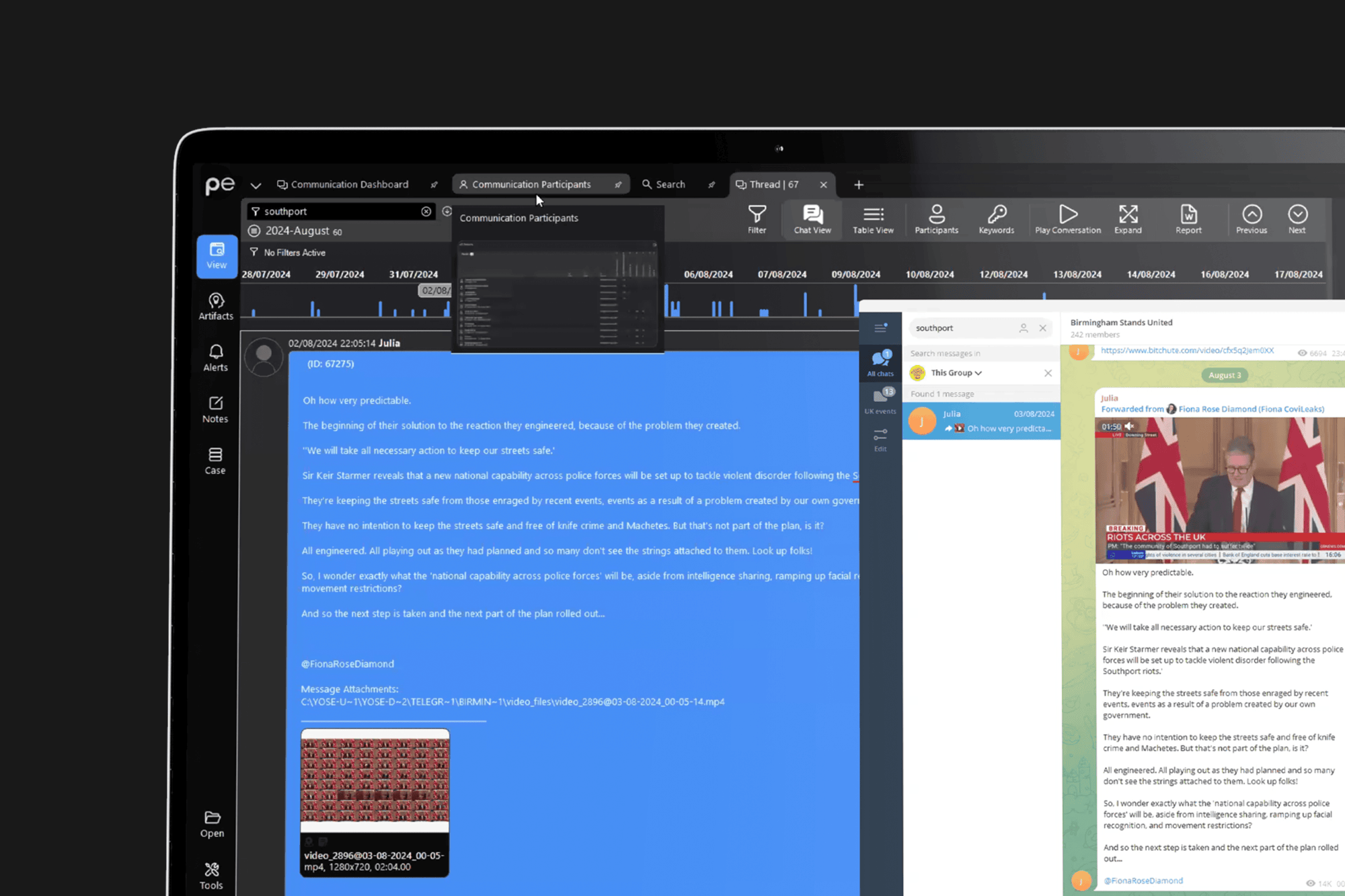
Once exported, organize the data systematically. With significant data volumes, this step is crucial to ensure quick and efficient access to information as you progress through the investigation. If you’re using Paliscope Explore, you can take advantage of the platform’s structured data import capabilities:
Paliscope Explore automatically indexes these files, allowing you to search and categorize data immediately, so you’re ready for the next steps
Telegram data can be overwhelming, with thousands of messages, images, and files to sift through. Structuring your search queries and identifying patterns is critical:
If using Paliscope Explore, you’ll benefit from advanced search functionalities, including OCR for images, NLP for text-based analysis, and even audio-to-text transcription.

Understanding the social dynamics and interactions within Telegram groups can provide critical insights into organizational hierarchies and key players:
Paliscope Explore allows you to visualize these communication patterns with tools like the Link Viewer and Map Viewer, which reveal connections and potential correlations among users.
To build a complete picture, correlate Telegram data with other sources. For instance, cross-referencing locations, usernames, and timestamps can help validate details and track movements or associations:
Paliscope Explore’s capabilities for handling cross-platform data mean you can integrate other datasets (e.g., Facebook returns, Discord chats) for a holistic view of activities.
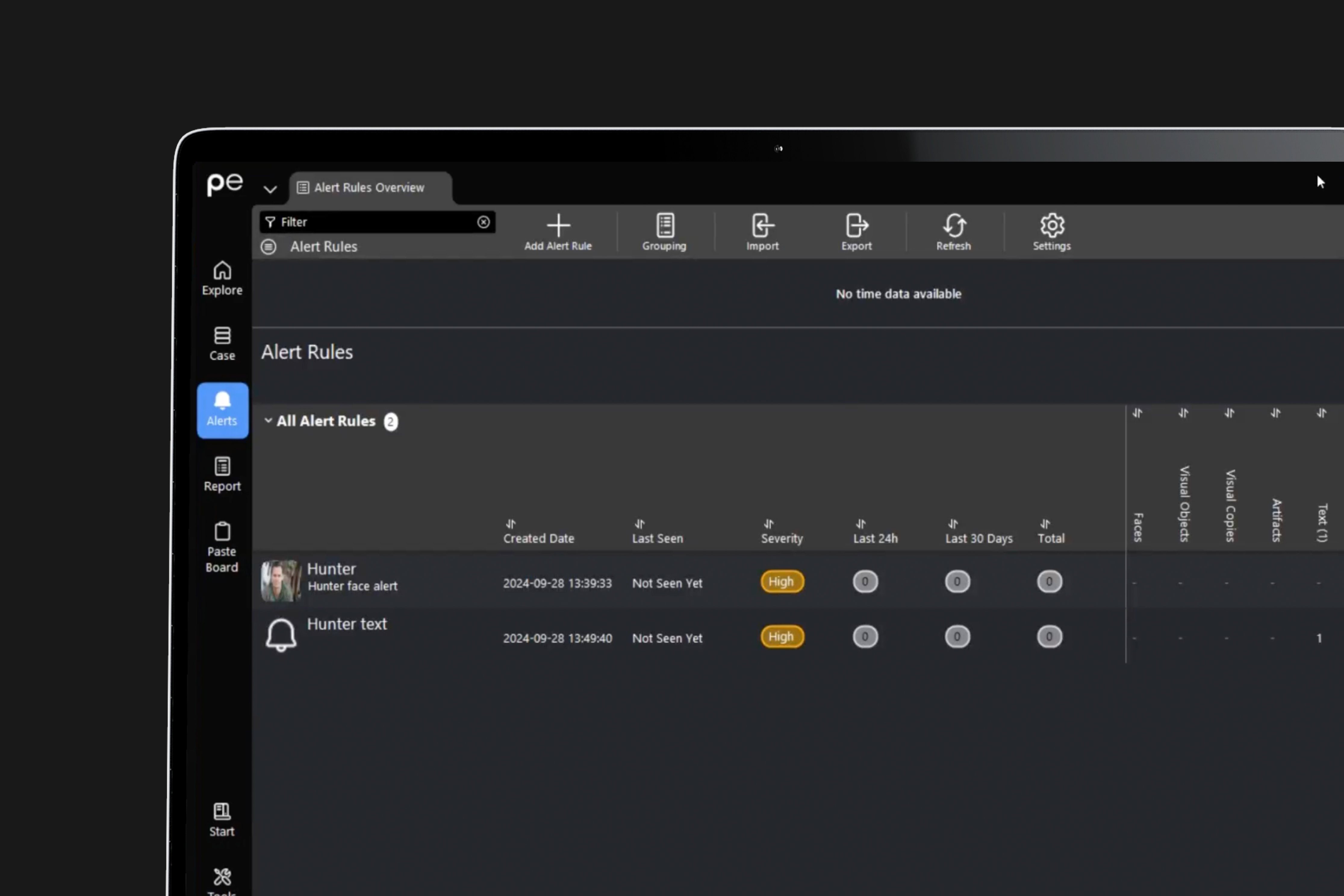
Investigations often require ongoing monitoring, especially when new data becomes available. Setting up automated alerts can help keep your investigation up-to-date without manual oversight:
With Paliscope Explore, you can automate this process, allowing the platform to notify you whenever new relevant data is detected within your indexed Telegram exports.
As you gather insights, documenting findings in a clear, structured manner is essential for sharing with stakeholders or building a case:
Paliscope Explore simplifies this process with its case-building tools, enabling you to compile detailed reports that can be exported directly to PDF or Word for easy sharing.

No need to worry about evidence documentation and report formatting. Paliscope Build automates all that - keeping your cases structured, secure and easy to hand over.

Find what you are looking for with Paliscope Explore - enabling analysts and investigators to triage large amounts of data and deep dive into the findings.

Process all your data in one place, collaborate across teams, search for anything, and more.