


In addition to some big news, there’s something very unique about our latest Discovry™ release. It’s based entirely on custom requests from our users. That is, we’ve really listened to our community with this update!
As for the big news, in this Discovry release we’ve made it easier than ever to keep your case data in one place with a feature called “Documents”. Not only can you collect pictures and videos in Discovry as before, now you can import all types of files into your case—from Excel to PDF and Word. And that’s not all. Keep scrolling to learn all about the 22.1 release highlights.
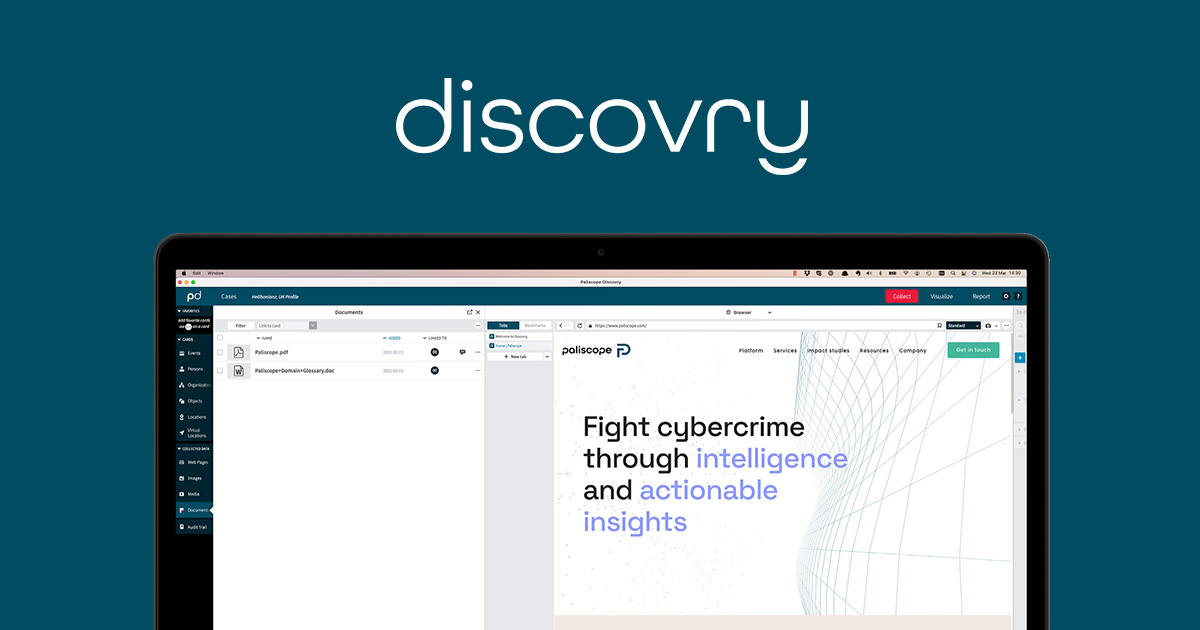
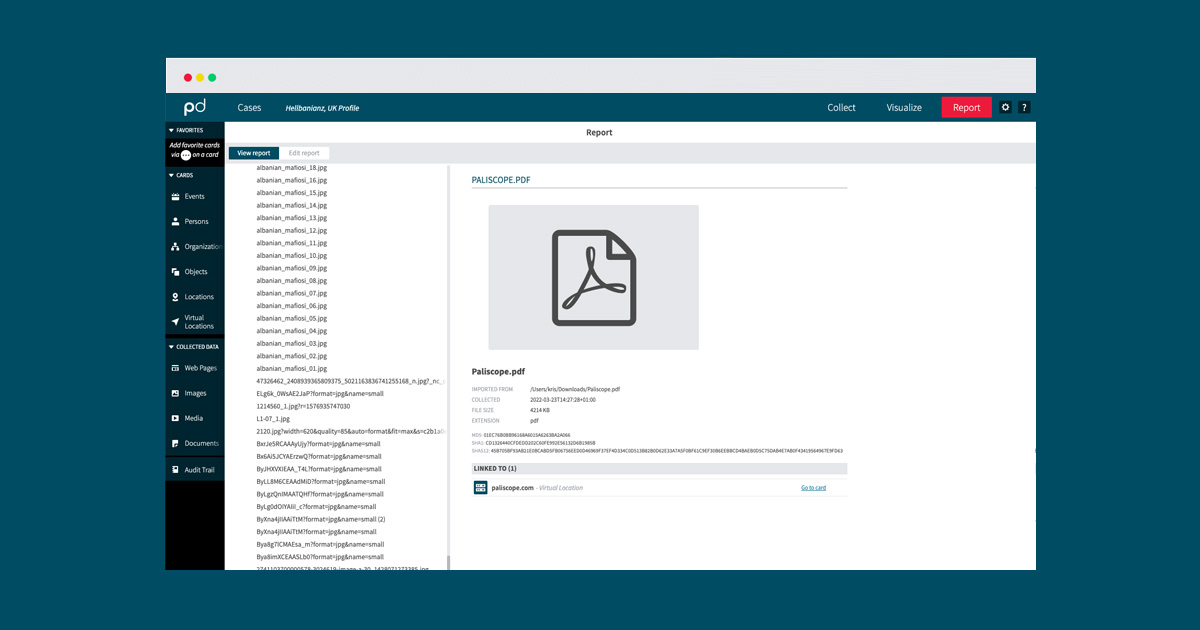
The new Documents feature is a completely new “collected data type” that enables you to manage all case documents in Discovry. Here, you can upload all different kinds of files that affect your case, including PDF, Excel and all other types of data files. You can link these uploaded files to your existing Case Cards and thus gain an excellent overview of all the data that concerns each case with a clear picture of which documents are related to each other. Of course, you also access hash data on your documents and, if you choose, they can even be included in the final case report.
So where is this new feature exactly? See the picture below. You can now find a tab for Documents right below “Collected Data.”
With the new Case Statistics feature you can see who is opening, closing or importing cases and when. Everything is logged and can be easily overviewed by a team lead or manager.
It is also possible to link many Discovry instances to the same KPI file. This means that the manager can get an overview of how things are going with the case load. For instance, to keep track of how many processes there are per month, year, etc., or how many cases are created and how many are closed.
As of this release, Discovry can be easily opened using a smart link. This enables you, for example, to open Discovry directly from Maltego or any other external service.
Now you have the option to clear cookies and cache for each case directly from the settings. You also have access to the cookies on each browser tab for more fine grained control. Great for sites you want to forget.
For new users, it’s now easier than ever to get started with Discovry. The first time you start the app, a demo case is available to help new users quickly grasp the essentials and get started building their first case.
Electron and Chromium have been updated to the latest versions and we have done a lot of cleaning in the code to make the app both faster and more secure.
For a full list of all improvements and updates in the 22.1.0 release, please log in to myPaliscope and read the release notes. Or simply restart Discovry to get the update automatically and try it out!

No need to worry about evidence documentation and report formatting. Paliscope Build automates all that - keeping your cases structured, secure and easy to hand over.

Find what you are looking for with Paliscope Explore - enabling analysts and investigators to triage large amounts of data and deep dive into the findings.

Process all your data in one place, collaborate across teams, search for anything, and more.