


Our innovation journey continues! YOSE™ release 22.2.1 is a testament to our continued dedication to delivering an analytics platform that meets all your needs—with a focus on outcome, ease of use, and time-savings.
Besides the usual usability updates and helpful new features you’ll find in this release, the biggest news by far is the introduction of the Redaction Center in Chat Analytics.ou uncover the pattern, or lack thereof.
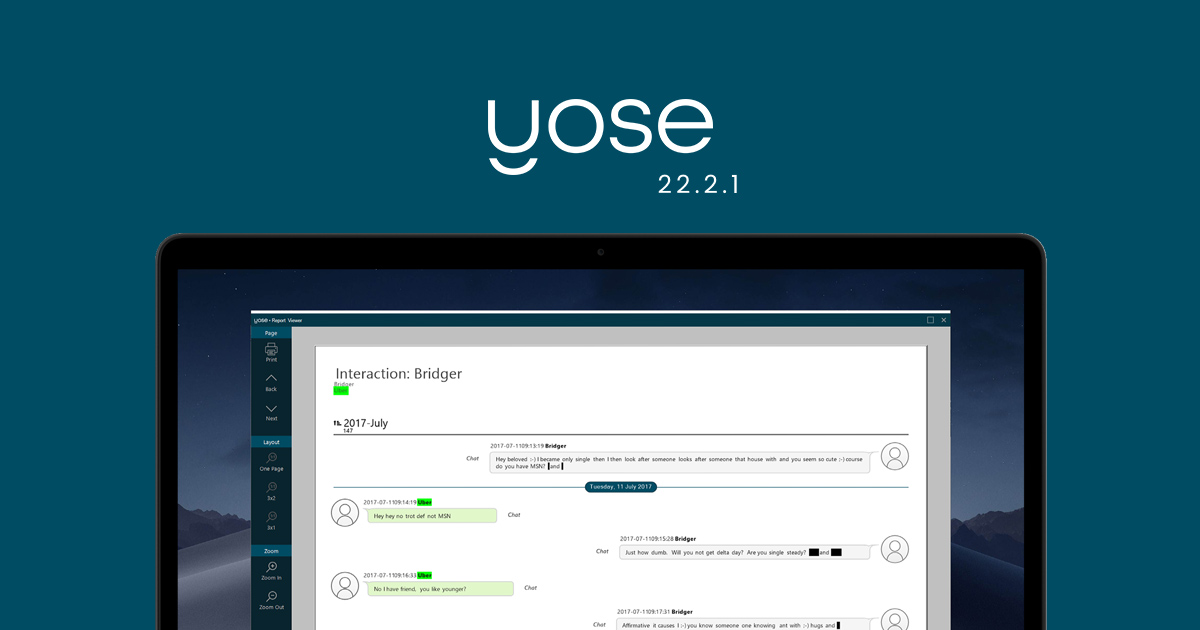
YOSE already offers the possibility to redact images, videos and PDF documents. Now, we’ve added comprehensive ways of doing the exact same thing in chat conversations and emails. This is a massive time saver, especially when you’re exporting evidence and need to mask sensitive information such as user names, telephone numbers, emails, IP numbers or any other information you choose.
READ MORE: Redact, highlight and change sensitive information in a report faster and more efficiently
Mask the entire message.
Highlight what is important.
Redact what should be obscured.
Replace any text with an alternative.
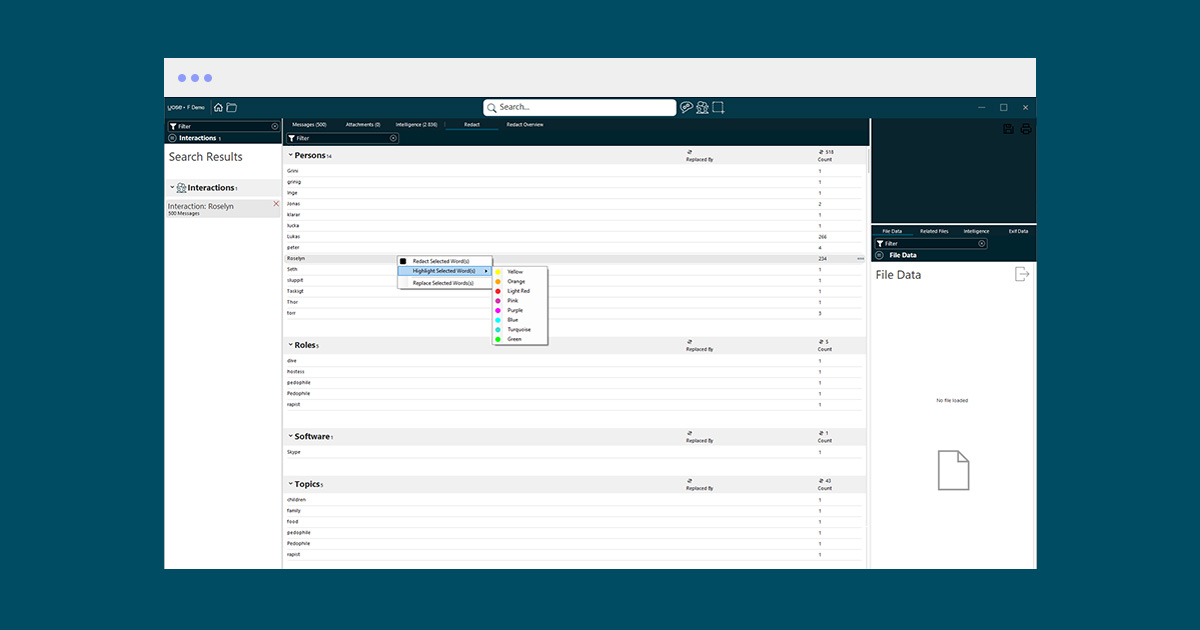
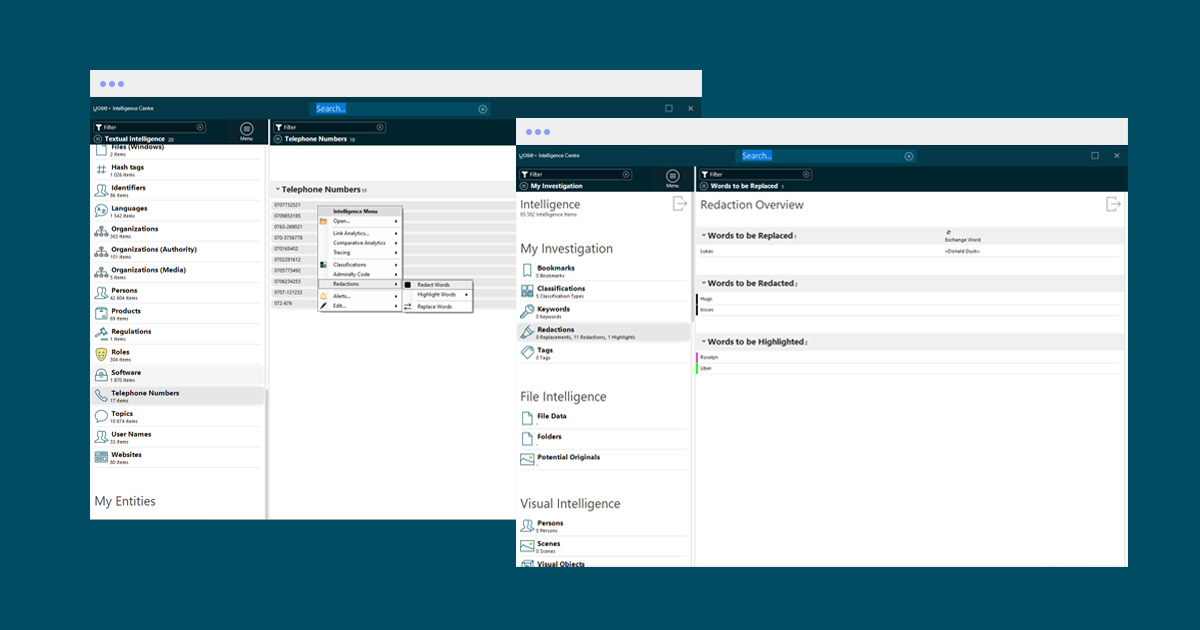
Every redaction is aggregated in the Redaction Center. This means that once a redaction has been made in one conversation, it is applied across all conversations—saving you a lot of time, while preventing you from missing any occurrences. You can add, remove or edit all redactions, regardless of whether it is a highlight, redaction or replacement.
When you need to share content with another party who may possess intelligence, it is important to not only mask sensitive words, but also the length of the words. This is to prevent potential readers with knowledge from guessing an alias, username or email by looking at the length of the redacted word. YOSE masks a sensitive word by not printing it in the first place, and it also masks the size of the word by randomizing the length of the redaction box.
Easily keep track of and manage all redactions—adding, removing, changing, hiding or unhiding them across all communication and in one convenient place. Thanks to the easy-to-use interface and automatic cross-conversation redactions, you won’t miss a single word. All in all, this makes it possible for you to apply many redactions with great speed and efficiency.
LIVE WEBINAR: How to swiftly mask out sensitive information in your investigation.
FEATURES SUMMARY
The redaction is done in the export phase, meaning you can always change and edit but once exported, the redaction is irreversible since what is being redacted is never printed in the document
Redact or replace any text in messages
Highlight what’s important
Replace any text with an alternative
Mask an entire message
Redact images attached to messages
Keep track of and manage all redactions in one convenient place
Use case-wide lists to quickly and consistently redact across all conversations without missing any occurrences
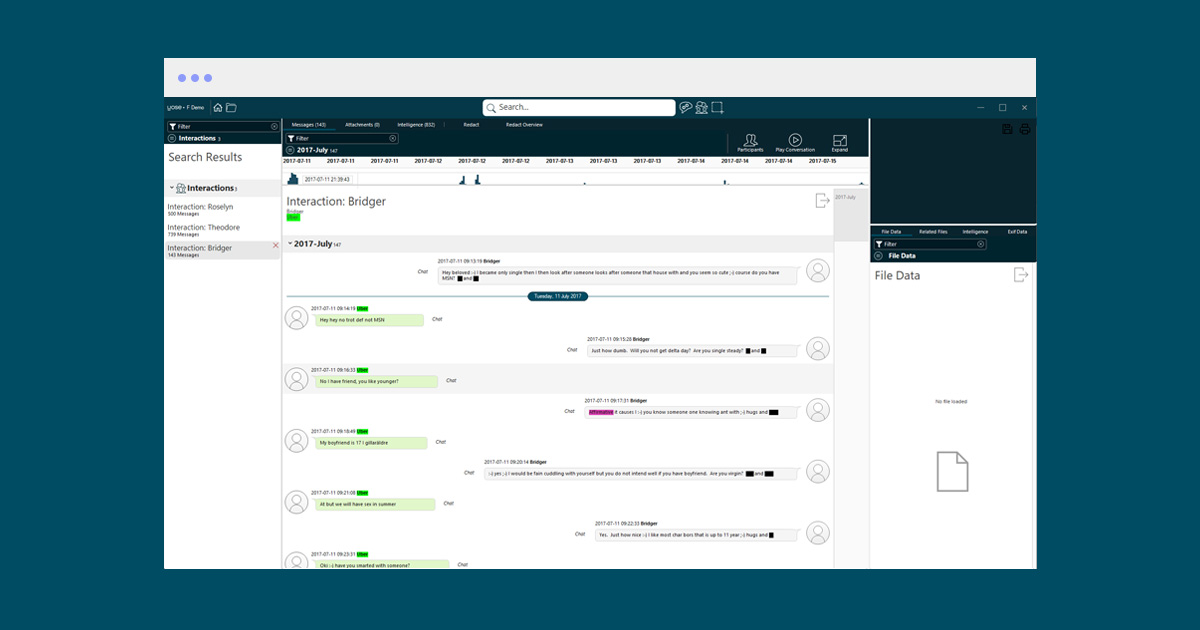
Export the result in a nice looking “WhatsApp style” layout to paper or screen for easy reading
Use the unique chat player to make every conversation or scenario easy to understand for your audience, including the redactions, highlights or word replacements
Works for any source of interaction such as chat, email, darknet, call logs, etc.
Search for anything across all cases to quickly locate the cases in which you have found a piece of intelligence. You can search for any extracted text and, once found, quickly open the case to locate the information. This is in addition to being able to add multiple sources to the same database.
Get all originating sources from selected intelligence. This view makes it possible to work with extracted intelligence in bulk and quickly see where the intelligence has originated from, when and from whom, to quickly identify the source of the extracted intelligence.
This release is packed with exciting news and polishes that make the entire program feel more complete and fluid than ever. In addition to the fact that YOSE now supports the latest Nvidia 30-series graphics cards, the modules Chat Analytics, Media Analytics and Link Analytics have gained additional functionalities.
For a full list of improvements and updates in the 22.2.1 release, please log in to myPaliscope and read the release notes. Click here to download the latest version of YOSE.

No need to worry about evidence documentation and report formatting. Paliscope Build automates all that - keeping your cases structured, secure and easy to hand over.

Find what you are looking for with Paliscope Explore - enabling analysts and investigators to triage large amounts of data and deep dive into the findings.

Process all your data in one place, collaborate across teams, search for anything, and more.